

Transloadit over MCP
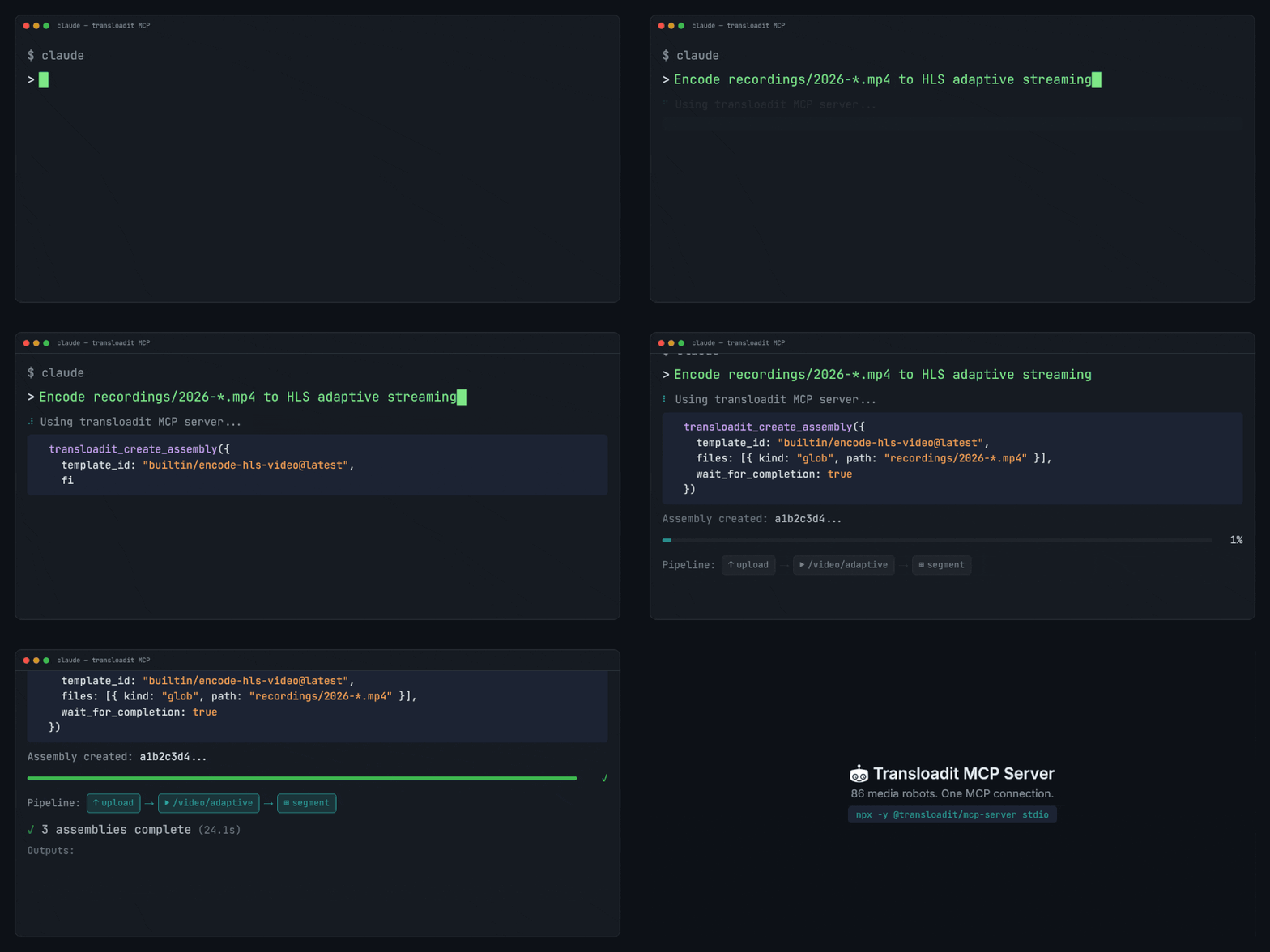
We run a Model Context Protocol server, so an agent can encode video, resize images, convert documents, and read the results back. It runs on the same platform behind our API, and the agent works out the pipeline itself.
What your agent can do
The tools fall into four jobs. The MCP Server documentation lists every tool with the permissions it needs.
- Find out what is possible.
transloadit_list_robotsreturns the catalog with a summary per Robot, andtransloadit_get_robot_helpreturns the parameters for one of them. The agent does not have to have been trained on our documentation to use us correctly. - Check its work before it costs anything.
transloadit_lint_assembly_instructionsvalidates a set of Assembly Instructions without creating an Assembly, and returns structured issues rather than prose. - Run the job.
transloadit_create_assemblycreates or resumes an Assembly, uploading files and waiting for the result if you ask it to. - Follow it to the end.
transloadit_get_assembly_statusandtransloadit_wait_for_assemblytrack a running Assembly, andtransloadit_list_templatesreuses the Templates you already have.
It can explore before it can spend
Discovery and linting do not create Assemblies. An agent can list every Robot, read the parameters for the ones it likes, and have a draft validated before it runs anything. Ask it to lint a Step with a mistake in it and it gets back the mistake:
{
  "severity": "error",
  "path": "instructions",
  "message": "Path `steps.resized` has unrecognized keys: `widht`"
}
The hosted endpoint asks you to sign in before any tool runs, discovery and linting included. To use those without an account, run the server yourself. Listing your Templates and creating Assemblies always need credentials, also on a self-hosted server.
Creating an Assembly can start billable work. transloadit_create_assembly is flagged as
destructive, and whether you are asked to confirm each call depends on your client. Do not rely on
that confirmation: set the agent's permissions and retry policy before you connect it.
Why this beats handing an agent an API key
An agent pointed at a REST API has to already know the shape of the thing. It guesses a parameter name, sends the request, and finds out it was wrong once the job has failed, which costs a round trip at best, and an encoding charge at worst.
Assembly Instructions are declarative JSON, which is the kind of artifact an agent produces well. Pairing that with discovery and a linter closes the loop before anything runs: it can ask what exists, write the Steps, have them checked, and only then create the Assembly. The processing itself happens on our infrastructure, so there is no FFmpeg to install and no local disk to fill.
Connect it
We recommend adding the hosted endpoint to your agent client:
https://api2.transloadit.com/mcp
You then approve access in your browser and pick the Workspace the agent may use. There is nothing to install and no keys to copy.
Clients that scan for capabilities can read the machine-readable card at
/.well-known/mcp/server-card.json,
which lists the tools and their input schemas.
For CI and other clients where nobody can approve in a browser, or to run the server yourself, see Choose how to connect. The MCP Server documentation also has the configuration for each client.
What it will not do
- It orchestrates Transloadit. It cannot do anything that our API and Robots do not support.
- Encoding is charged as usual. Bound the agent's retries and concurrency, connect only the Workspace it needs, keep any Auth Key you create for it narrowly scoped, and monitor Workspace usage. Neither authentication nor a client's confirmation prompt is a spending cap.
- The tools work with Assemblies, Robots, and Templates, and can identify the connected Workspace. Account administration, billing, and credentials stay outside it, deliberately.
- It is not a substitute for reading the Robot documentation when you are the one designing the pipeline. It is what you reach for when the agent is.
Create a free Workspace to connect your agent, or read the MCP Server documentation first.