

Every session recording, ready to replay
Every keynote and breakout on your event platform, encoded for replay and cut for social.
Watermark640 × 800 · H.264 Social post640 × 640 · H.264 Story and reel608 × 1,080 · H.264 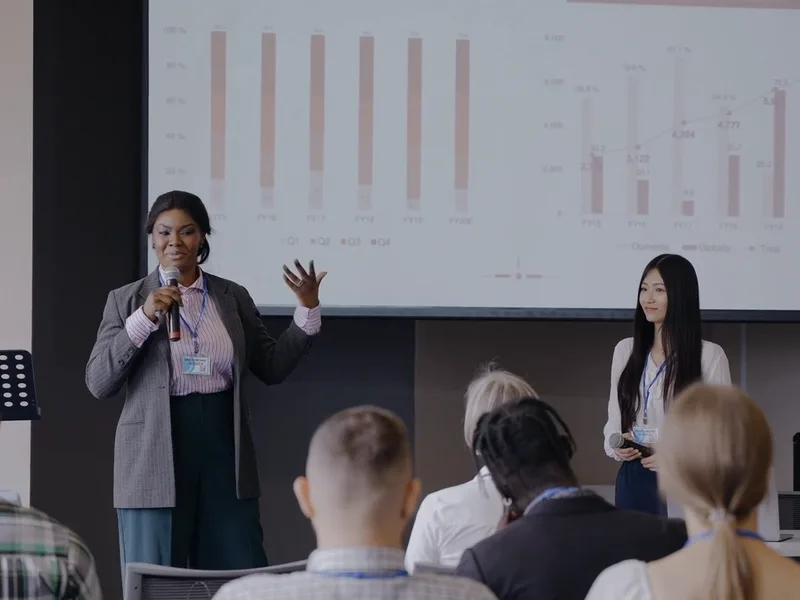
Agenda card800 × 600 · 24 kB 
Archive thumbnail320 × 320 · 10 kB Replay page960 × 540 · H.264
Trusted since 2009 by
the world’s most ambitious platforms.










One pipeline for every session file
Prepare recordings for replay, check every speaker and attendee upload, and route mixed event files through reusable processing Templates.
Replay keynotes on any connection
Session recordings become adaptive HLS with a poster frame, so a replay starts quickly on conference Wi-Fi or a phone abroad.
Checks for speaker and attendee uploads
Add virus scanning and NSFW image labels to speaker decks, headshots, and attendee photos, then apply your own review rules.
 speaker-headshot.jpg
 keynote-deck.pdf
 slides-final.zip
 breakout-2.mp4booth-photo.jpg
 sponsor-logo.pngagenda.pdf
Route every upload to the right pipeline
Use file metadata and filter conditions to route session recordings, slide decks, headshots, and sponsor files through the processing Steps you configure.
- File
- keynote-day-1.mp4
- Source
- Stage recording
- Routed through
- /video/encode
- /video/adaptive
- File
- breakout-3.mp4
- Source
- Stage recording
- Routed through
- /speech/transcribe
- /video/subtitle
- File
 keynote-deck.pptx
- Source
- Speaker portal
- Routed through
- /document/convert
- /document/thumbs
- File
- speaker-headshot.jpg
- Source
- Speaker portal
- Routed through
- /image/facedetect
- /image/resize
- File
- panel-audio.mp4
- Source
- Audio desk
- Routed through
- /audio/encode
- /audio/waveform
- File
- sponsor-reel.mp4
- Source
- Sponsor portal
- Routed through
- /file/virusscan
- /video/encode
- File
- booth-photo.jpg
- Source
- Attendee app
- Routed through
- /image/describe
- /image/resize
- File
- agenda.pdf
- Source
- Organizer
- Routed through
- /document/thumbs
- File
- highlights.mp4
- Source
- Social team
- Routed through
- /video/encode
- /video/thumbs
- File
- sponsor-logo.png
- Source
- Sponsor portal
- Routed through
- /image/optimize
- File
- workshop-2.mp4
- Source
- Stage recording
- Routed through
- /video/encode
- /s3/store
- File
- attendee-photo.jpg
- Source
- Attendee app
- Routed through
- /file/virusscan
- /image/describe
- File
- closing-remarks.mp4
- Source
- Stage recording
- Routed through
- /video/encode
- /video/thumbs
The answers your security review will ask for
Target the United States, Europe, or Asia Pacific for data residency, or use our global endpoint to geo-route each Assembly to the closest of all three regions.
Three regions. Your routing choice.
Pin processing to one region for data residency, or have uploads and requests routed to the closest region automatically.
 United StatesVirginia
us-east-1 EuropeIreland
eu-west-1 Asia PacificSingapore
ap-southeast-1
Uptime you can plan around.
The uptime we commit to in our SLA. Our public status page carries the record behind it.
Bring your own storage
Keep originals and results in storage you control. We import, process and export only what you choose.








Security standards and controls.
Our security program includes ISO 27001 certification, a SOC 2 Type II attestation, and controls for handling your files.
GDPR
HIPAA
AES-256
SOC 2 Type II
ISO 27001

Having a solution for both uploading and transcoding has been a godsend for the current scale that we are at five years after first choosing Transloadit.What can Transloadit help with?
Six workflows event and webinar platforms build on Transloadit. Each one is a Robot, or a recipe of them, already in our library.
Long recordings, uploaded reliably
Resumable uploads for multi-gigabyte session recordings, so a full keynote survives a dropped venue connection.
Review resumable uploadsReplays that play anywhere
Encode every session for adaptive HLS playback, with poster frames and thumbnails from the same Assembly.
Review adaptive streamingCaptions for every session
Transcribe each talk into a transcript and subtitle file, or burn the subtitles in, for attendees watching with the sound off.
Review transcriptionSocial cuts from the recording
Crop and encode square and vertical copies of a session for posts and reels, from the same upload as the replay.
Review video encodingSlide decks, as previews
Convert speaker decks to PDF and preview images, so every session page shows the slides next to the replay.
Review document conversionSpeaker headshots, framed alike
Detect the face in each headshot and crop around it, so every speaker on your agenda gets the same framing.
Review face detectionYou keep the event. We run the media pipeline.
Transloadit is the processing layer, not a replacement for your event platform, live stream, or video player. Here is exactly where the line sits, so nobody discovers it during integration.
What stays with your event platform
- 01Registration, ticketing, and who can watch each session
- 02The live broadcast and your streaming provider
- 03Agendas, speakers, and which recording belongs to which session
- 04Retention and takedown when a speaker withdraws a talk
What Transloadit handles
- 01File upload or import and server-side processing execution
- 02Image, video, audio, metadata, and export steps
- 03Structured Assembly status and retryable notifications
- 04On-demand transformation and Smart CDN delivery, when enabled
A media pipeline you do not have to maintain
Choose encoding presets or custom FFmpeg parameters for codecs, resolution, bitrate, and containers.
Parallel processing moves a finished session to a playable replay without waiting on a nightly batch. Jobs may queue while your plan’s Priority Job Slots are in use.
Configure signed uploads, virus scans, scoped credentials, and regional processing endpoints in the US, EU, or Asia Pacific.
Workers autoscale when every room of a conference uploads its recordings at once. Your plan’s Priority Job Slots govern concurrent processing; additional work may queue.
Export originals and renditions to your configured S3, GCS, Azure, or R2 storage. Temporary processing copies are purged automatically.
Typed SDKs and JSON Templates you can keep in version control and test in CI.
Event media processing questions
The answers we would give on an evaluation call, including the cases where another tool is the better choice.
Does Transloadit handle live streaming?
No. Transloadit has no live ingest, so the live broadcast itself belongs to a dedicated streaming service. Once the stream ends and its recording is saved, Transloadit processes the replay like any other upload, and can stream recorded clips as adaptive HLS, including segments encoded on demand as viewers press play.
How soon after a session ends can attendees watch the replay?
Processing starts as soon as the recording finishes uploading, and parallel encoding means a replay never waits on a nightly batch. How long it takes depends on the recording’s length and your plan’s Priority Job Slots, so talk to support about extra slots ahead of a large event.
What happens when every room uploads at once?
Workers autoscale with demand, so there are no servers to provision for the last day of a conference. Your plan’s Priority Job Slots set how many jobs run at once; additional work queues instead of failing, and support can add Priority Job Slots ahead of a planned peak.
Can recordings come straight from the venue or a cloud bucket?
Yes. Resumable uploads continue where they stopped when the venue connection drops, and recordings already in S3, Google Cloud Storage, Azure, or on an FTP server can be imported directly.
Can you caption every session?
Yes. Speech transcription returns a transcript, or subtitles in SRT or WebVTT, for each session, and video Steps can burn the subtitles in. Machine transcripts can contain errors, so review captions before a keynote is published as an official record.
How do we stop abuse of a public upload endpoint?
Sign every upload request on your backend with an expiry, and with signature checking required, unsigned or altered requests are rejected. Filter Steps reject files by type, size, or duration before processing, and virus scanning stops malware before a file reaches your storage. Read about Signature Authentication
Does Transloadit keep copies of our recordings?
Only briefly. Processing results stay on temporary URLs for 24 hours so you can fetch them, then they are removed automatically. Originals and renditions go to the storage you configure, and taking a session down happens in your own systems.
Is Transloadit an event platform or a video host?
Neither. Transloadit is the processing layer between your recordings and your storage. Registration, agendas, and access control stay in your platform. Smart CDN can deliver right-sized variants on demand when you enable it. See how Transloadit Smart CDN works
Event recordings, on one API.
Run a recorded session through your first pipeline, and export the replay, captions, and social cuts to your own storage.